



Amazon’s latest iteration of its voice assistant, Alexa+, promises a more human-like interaction, offering helpful responses and natural-language conversations. Initially available in early access, Amazon has now rolled it out to Prime members without prior notice, making it an opportune moment to explore its capabilities. Having tested Alexa+ for several months, I found it to be a robust addition to the smart home ecosystem. Here’s a comprehensive look at what Alexa+ can offer and whether investing in an Amazon smart device is worthwhile.
How to Access Alexa+
To experience Alexa+, purchasing one of Amazon’s latest Echo devices—such as the Echo Dot Max, Echo Studio, Echo Show 8, or Echo Show 11—grants immediate access. Owners of older devices might have received a notification about an automatic upgrade to Alexa+. Alternatively, you can visit the Alexa+ store page, ask your Echo device to “Notify me when Alexa+ is available,” or type “set up Alexa+” in the Alexa app.
Once activated, Alexa+ guides you through an introductory process to understand your preferences and create a personalized profile. Users can further customize their experience by selecting from four masculine or four feminine voices. Opting out of Alexa+ early access is possible at any time by instructing Alexa to “exit Alexa+” or by managing your Memberships & Subscriptions page. Upon exiting beta, Alexa+ will remain free for Prime members, with a $19.99 monthly fee for others.
Exploring Alexa+’s Capabilities
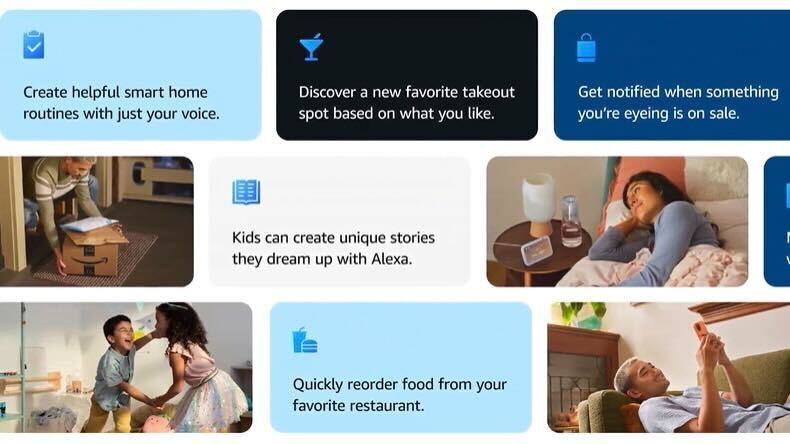
Amazon’s “ambient AI” initiative aims to make its services and devices seamlessly accessible. While initially skeptical, I found Alexa+ to be a genuinely useful tool, enhancing the smart assistant experience without necessarily introducing groundbreaking features. Instead, it integrates multiple functions into a cohesive service across various devices.
1. Enhanced Querying
Alexa+’s primary utility lies in providing information. With an Echo Dot on my desk, I frequently query it during work or leisure activities. Compared to Google or Apple’s phone-based assistants, Alexa+ demonstrates superior voice recognition and conversational flow, making it a more convenient option than opening a browser to ask questions.
2. Contextual Reminders
Alexa+ excels in setting alarms and reminders. Beyond standard notifications, it offers recurring alerts, such as reminding me of the Ryder Cup every two hours until acknowledged. Users can set context-specific reminders, import calendar events, and even build new reminders from emails, creating a color-coded calendar to manage family activities.
3. Playlist Creation
For those seeking a musical backdrop, Alexa+ assists in playlist creation. By providing song titles, artists, or themes, users can curate playlists with AI assistance. My request for a Fall-themed playlist yielded impressive results, despite a few unexpected inclusions.
4. News Briefings
Alexa+ offers customizable news briefings, partnering with over 200 outlets, including Reuters and The Washington Post. Users can tailor their Daily Briefing to include political headlines, sports results, or entertainment news, aligning with personal interests.
5. Enhanced Memory
Improved memory capabilities allow Alexa+ to recall previous interactions, such as feedback on a restaurant, and incorporate them into current conversations. This feature extends to remembering family recipes and dietary preferences.
6. Improved Recommendations
With better Fire TV integration, Alexa+ provides personalized movie recommendations, learning user preferences over time. It can also suggest content based on specific scenarios, enhancing the viewing experience.
7. Wellness Integration
Amazon is venturing into the wellness space with Alexa+ at the forefront. It can suggest workout times or encourage winding down at night. Future expansions through partnerships with Wyze and Withings will enhance its wellness offerings, integrating smart home and medical-grade devices.
Additional Upgrades and Considerations
Amazon has introduced several other upgrades worth noting. Alexa.com now offers a web interface, providing a chatbot-like experience and smart home control. The Omnisense sensors in new Echo devices and Fire TVs use Wi-Fi radar and ultrasound to detect user presence, offering contextual updates and improved noise filtering.
The Alexa+ Store expands Amazon’s digital storefront, integrating apps like DoorDash and Uber. Users can shop directly or have Alexa+ perform tasks like booking reservations or purchasing tickets.
Should You Upgrade Your Device?
Deciding whether to upgrade to a new Amazon device depends on individual needs. While the Omnisense functionality may not appeal to everyone, current-generation Echo devices remain effective for smart speaker and ambient AI purposes. However, for those planning to use Alexa+ as a smart home hub, especially with Ring or Blink cameras, the new displays offer a compelling and reasonably priced option compared to competitors.
In conclusion, Alexa+ represents a significant step forward in Amazon’s AI journey, enhancing user interaction and smart home integration. As the service evolves, it will be interesting to see how it continues to shape the future of digital assistants.